
When you install WordPress.com's website, you can create an admin user, which is typically used by the web administrator. It's quite common to have multiple individuals working on the site, such as writers, designers, or just employees who need access.
Below, we'll walk through how to set up a new WordPress user and also explore the various user roles available in WordPress, along with the corresponding access privileges for each role.
Only administrators have the ability to create new users. If you're an administrator, you should see a menu tab labeled 'Users' inside the admin panel. Click on this tab
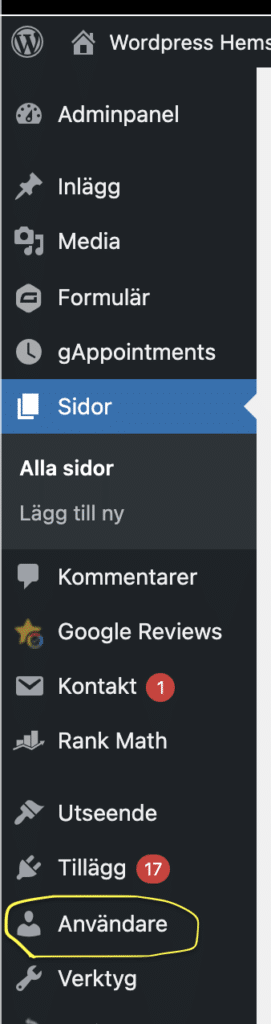
Now that you've clicked on 'users', you'll see a list of all WordPress users created on this page. Here, you can edit, delete, and add new users. Today, we're going to add a new user for ourselves, so at the top right of the 'Users' title, you'll find a button labeled 'create new'. Click on this, and you'll be taken to a new page where you can fill in details for the new user.
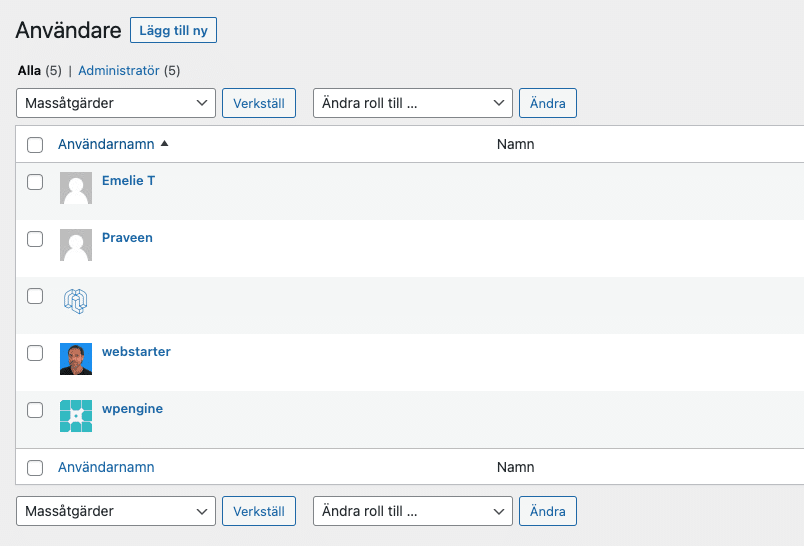
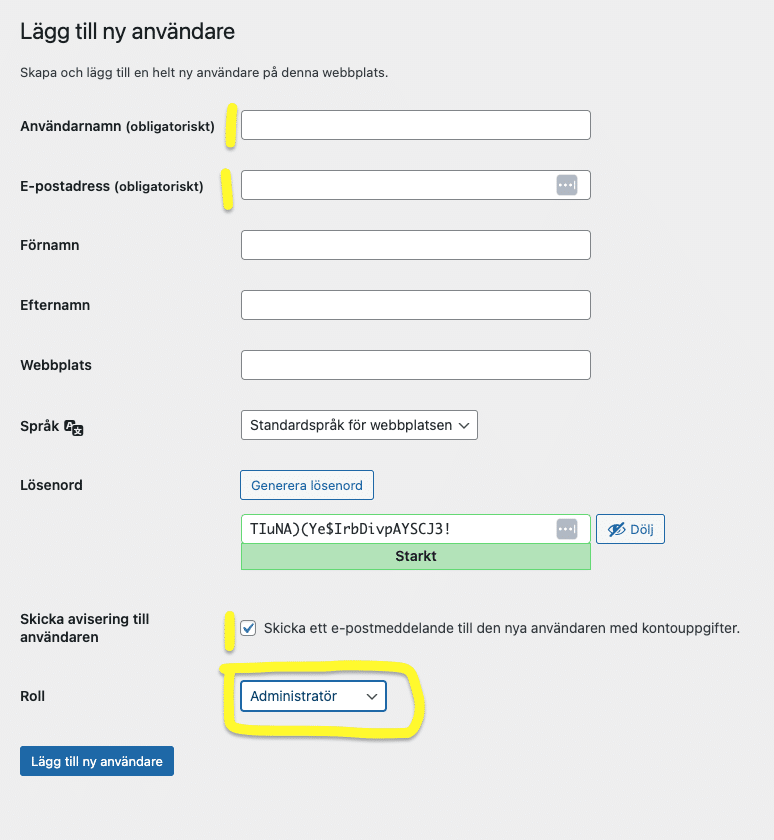
Now you have a couple of fields to fill in, if you don't have any extra plugins that give you more fields to fill in, you just have to enter User name, Email and Role which you see is highlighted in yellow.
Fill in the username "Support", email "drift@wpmedia.se" and select the role "Administrator" so that we can start helping you with your website.
It is important here that you make sure the role is "Administrator".
You can read more about all of them here. WordPress user roles.
You can always fill in more details, but these three fields are usually enough.
If you encounter any difficulties in creating a new WordPress user, we're here to assist you. You can always contact us reach out to us for guidance